Offline
₺0
No time or record limit
One phone, no internet needed.
- Unlimited entries and exits
- Rates, free minutes and daily cap
- Subscribers and extra services
- Bluetooth receipt printer
- Plate scanning
- Revenue reports and backup
Carpos is an Android app built for small and mid-sized parking lots. Log the vehicle, let the fee be calculated from your rates at exit, and hand over a receipt from a Bluetooth printer. No internet required.
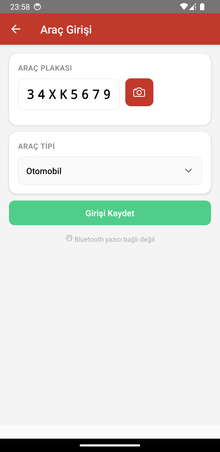
Type the plate or scan it with the camera and pick the vehicle type. Entry time is recorded automatically; optionally print an entry ticket carrying the plate as a QR code.
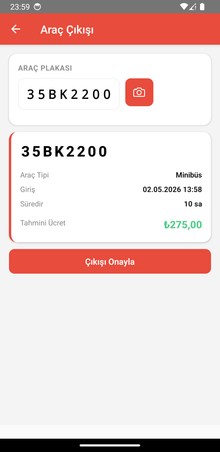
Look up the plate. Duration and fee are calculated from that vehicle type’s rates; every started hour is charged. You can set free first minutes and a daily maximum.
The exit receipt is printed with your business name, entry and exit times, the amount and a QR code of the plate. The visit is added to the end-of-day report at the same time.
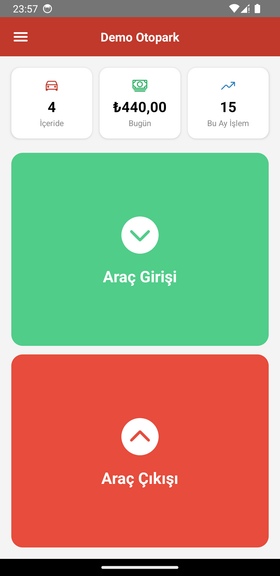
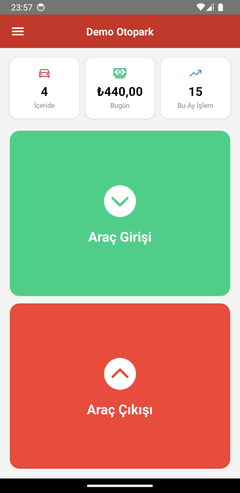
These are not mock-ups; they are real screens from the app (shown in Turkish).
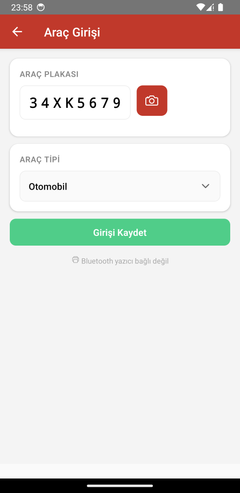
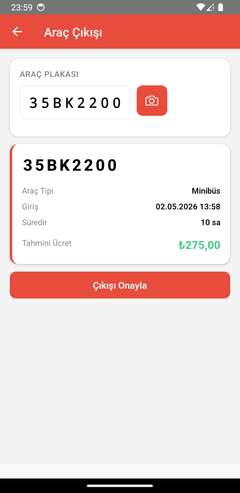
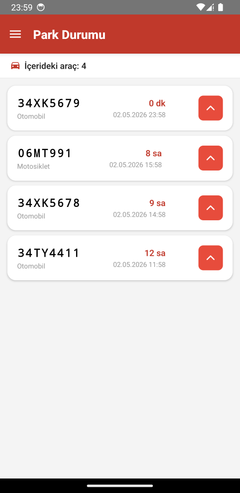
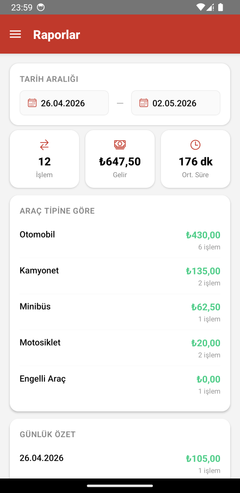
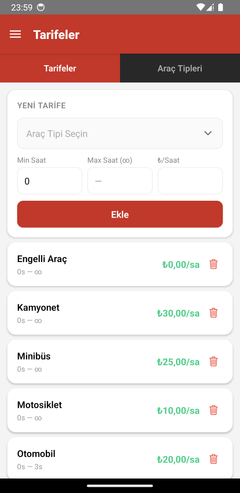
No fee, no trial period and no record limit for the single-device version. When you need a team and multiple devices, there is cloud mode.
₺0
No time or record limit
One phone, no internet needed.
Early access
Pricing to be announced
For multiple devices and staff.
Records cannot yet be moved between offline and cloud; you choose one when you start.
Yes. Offline mode (single device, no internet) is free, with no trial period or record limit. Cloud mode is a separate, optional service.
Not in offline mode. All records are stored on the phone, so it works in basements and low-signal areas. Cloud mode needs internet.
The stay is converted to hours, rounded up and multiplied by the vehicle type’s hourly rate. Example: 2 h 51 min at ₺15/hour is 3 × 15 = ₺45. Duration-based rates, free first minutes and a daily cap can be configured.
Bluetooth thermal receipt printers that support the ESC/POS command set (58 mm and 80 mm). Check ESC/POS and Bluetooth support before buying. The app also works without a printer.
Point the camera at the plate and the text is read by an on-device recognition model. Images are not sent to a server and no internet is needed. You can correct the plate before saving.
In offline mode, only on your phone; uninstalling the app deletes the records, so take regular backups from Settings → Backup and keep the file somewhere safe. In cloud mode, records are kept on Piyanos servers and transferred over an encrypted connection (HTTPS).
Currently Android only (7.0 and later). An iOS version is planned.
Yes, you can switch mode in settings. Moving offline records to the cloud is not supported yet, so you start fresh in the cloud.
Install, enter your vehicle types and rates, and log the first vehicle. Setup takes a few minutes.